Audio Craft Mixing Studio
Reviews
Description
Building Your Sound Palette
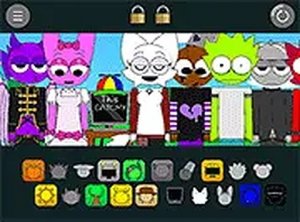
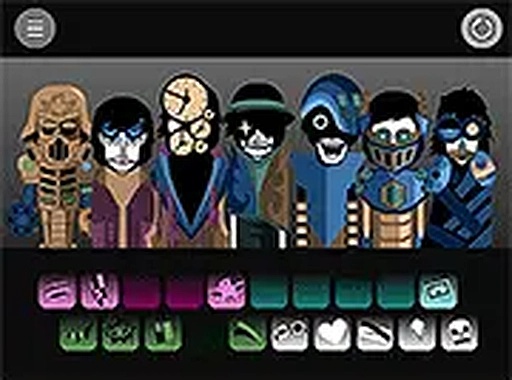
Audio Craft Mixing Studio provides a collection of sound categories that serve as building blocks for your compositions. Each category contains multiple audio clips that can be selected and arranged. The interface displays these sounds as visual icons, making it simple to identify beats, melodic phrases, and atmospheric effects. Players can preview any sound before adding it to their project, which helps in making informed choices about which elements to combine.
Arrangement and Layering Process
The core activity involves placing selected sounds onto a timeline or mixing board. This arrangement process allows players to control when each sound plays and how it interacts with others. By layering different audio elements, users can create complex textures and rhythms. The system supports adding, removing, and repositioning sounds at any point, giving complete control over the final mix. This flexibility encourages experimentation with different combinations.
Real-Time Audio Feedback
One of the key features is the immediate audio response to every action. When a sound is added or moved, the system plays the updated mix instantly. This real-time feedback helps players understand how different sounds blend together and how changes affect the overall composition. It also makes the learning process intuitive, as users can hear the results of their decisions without delay.
Accessible Design Philosophy
The interface prioritizes simplicity and ease of use. There are no complex menus or steep learning curves. New users can start creating within seconds of loading the page. The drag-and-drop functionality works smoothly on both touchscreens and mouse-based systems. This design approach ensures that players of all ages and technical backgrounds can enjoy the creative process without frustration.
Creative Freedom Without Pressure
Audio Craft Mixing Studio removes common gaming stressors like timers, scores, or competitive elements. Players are free to spend as much time as they like on each project. There is no right or wrong way to combine sounds. This open-ended structure supports relaxation and personal expression. Users can create simple loops or more elaborate arrangements depending on their mood and interest.
Cross-Platform Compatibility
Because the game runs entirely in a web browser, it works on a wide range of devices. Desktop computers, laptops, tablets, and smartphones can all access the same features. No downloads or installations are required. This cross-platform support means players can work on their music projects from anywhere with an internet connection. The experience remains consistent across different screen sizes.











Player Comments
Sign in to comment
You must be logged in before posting a review or rating.
No account? Create one
No comments yet. Be the first to comment!